The membership for the 2014 "In Focus" Photography Club has been finalised. I'm really looking forward to working with this group.
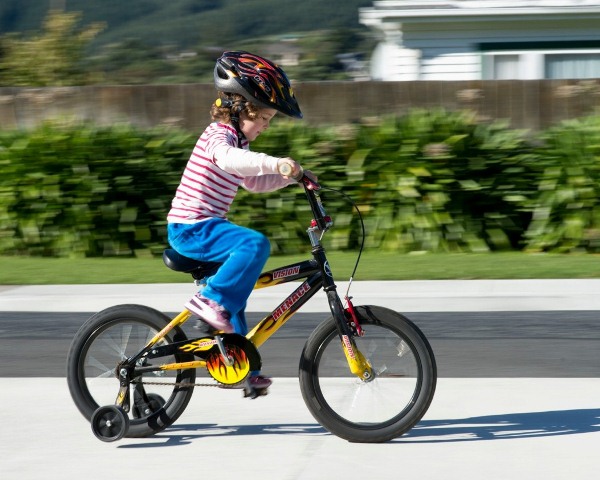
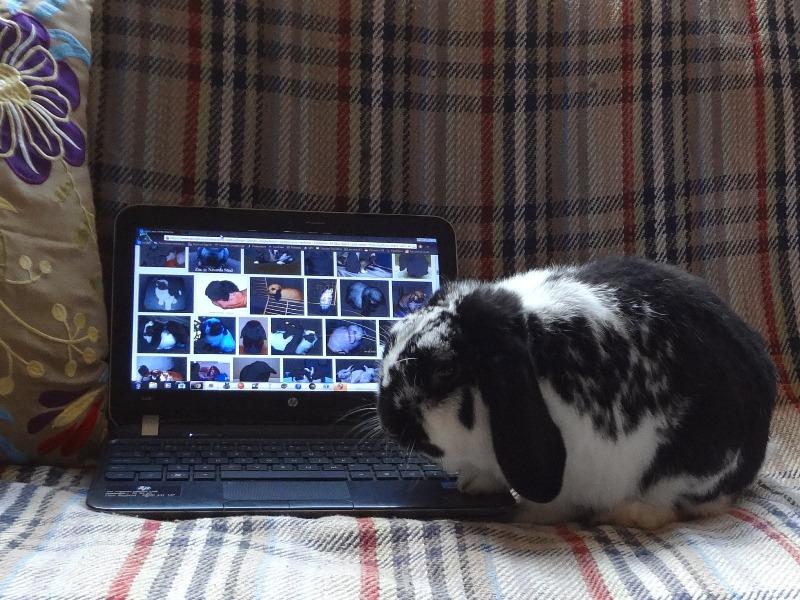
Here is a small selection of some of the application photos:
Thursday, March 20, 2014
Saturday, February 22, 2014
2014 Applications Open
Applications for the 2014 "In Focus" Photography Club are now open.
Are you interested in photography, keen to learn more and share what you know with others? Then In Focus, the TIS photography club, might be for you.
Members of this club will explore photography techniques, bring in samples of work to discuss, and possible go and view an exhibition or two.
You must be willing to share photos you take, and contribute to discussions about photos taken by other members. You must also be committed enough to give up your own time as most meetings will happen at lunchtimes.
Are you interested in photography, keen to learn more and share what you know with others? Then In Focus, the TIS photography club, might be for you.
Members of this club will explore photography techniques, bring in samples of work to discuss, and possible go and view an exhibition or two.
You must be willing to share photos you take, and contribute to discussions about photos taken by other members. You must also be committed enough to give up your own time as most meetings will happen at lunchtimes.
If you want to apply to be part of “In Focus” then you must email One photo you have taken to Mr O’C (the photo must be sent as a jpg file attached to the email and the file name must include your name). Include in the email a “Caption” (a title or short explanation) for your photo and explain why want to join the club. Please make sure you include your full name and room number.
Applications must be emailed to jimmy.ocarroll@tawaint.school.nz before Monday 10th March.
Make sure you follow all the application instructions carefully as failure to do so will lessen your chances of being selected. If you are not sure about something please ask your teacher or myself.
Thanks
Mr O’C
Thursday, September 19, 2013
2013 Focus 5 - Spring
To take photos that represent spring. Remember to try and incorporate light and shadow, landscapes and/or the rule of thirds.
Send two photos to Mr O'C by Sunday 20th October.
Tuesday, August 6, 2013
Wednesday, May 22, 2013
Monday, March 25, 2013
2013 Focus 1 - Image Sizes
IMAGE SIZES - What are Megapixels and
Resolution?
In order to print high quality photos you need to save images in a high
quality format. Balancing this is the
need to not fill up your file storage too quickly, and that when emailing files
you don’t want them too big.
To manage files you need to understand how to make your camera settings
high enough to take high quality photos and how to resize them afterwards for
other purposes.
Resolution
Resolution refers to the size of the image that your camera will
produce. This is normally referred to as megapixels. Megapixels represent the
number of pixels for an image. For
example: A 1600 by 1200 pixel image is 1600
times 1200 = 1.92 million pixels or 1.92 Megapixels. This would commonly be
rounded up and referred to as a 2 megapixels.
Print Size
Final Print Size Megapixels Image Size on Monitor (pixels)
2.1" x 1.6" 0.3 640 x 480
4.25" x 3.2" 1.2 1280 x 960
5.3" x 4" 2.0 1600 x 1200
6.8" x 5.1" 3.0 2048 x 1536
10" x 6.5" 5.3 3008 x 1960
10.25" x 6.8" 6.3 3088 x 2056
13.5" x 9" 11.1 4064 x 2704
Photo Assignment:
Your job is to take a photo of at least 4 megapixels, save it as “Focus1yourname4mp”.
Resize to 2 megapixels and save as “Focus1yourname2mp”.
Resize to 1 megapixel and save as “Focus1yourname1mp”.
Note: A key part of this task is showing you can
follow instructions. Read the
instructions carefully and follow them exactly.
Subscribe to:
Posts (Atom)